
UI/UX Design with AI Course in Delhi
Learn modern UI/UX design with hands-on training in AI tools, wireframing, and prototyping. Create user-friendly digital experiences using real-world strategies and build job-ready skills with a practical course in Delhi.
About UI/UX Design Course
UI/UX design is the process of creating digital products that look good and work smoothly. UI (User Interface) focuses on the visual design — colors, layout, and buttons. UX (User Experience) ensures the product is easy to use, simple to navigate, and user-friendly. It plays a crucial role in designing successful websites and mobile apps in today’s digital world.
What You Will Learn in UI/UX Design with AI Course?
Figma

Adobe XD
Photoshop

Canva
HTML
CSS

WordPress
Course Duration & Mode
Duration
6 months
Mode
Offline & Online
Batch
Weekday & Weekend
Practical Sessions Included
UI/UX Design Course Curriculum
- Introduction to Figma
What is UI/UX Design?
What is Figma?
Figma vs Adobe XD vs Photoshop
Creating Figma Account & Dashboard Overview
Figma Interface - Design Basics
Frames vs Groups
Shapes, Text, Colors
Typography Basics
Color Theory
Alignment & Spacing
Grid System - Working with Components
What are Components?
Creating & Using Components
Variants
Auto Layout
Constraints & Resizing - UI Design Practice
Mobile App Design
Website Design
Dashboard UI Design
Design Systems - Prototyping in Figma
What is Prototyping?
Linking Screens
Animation Basics
Interactive Components
User Flow Design - UX Design Basics
What is UX?
User Research Basics
Wireframing
User Personas
User Journey Mapping - Collaboration & Handoff
Team Collaboration in Figma
Commenting & Sharing Designs
Developer Handoff
Exporting Assets - Plugins & AI Tools
Figma Plugins Introduction
Useful Plugins:
Icons & Illustrations
UI Kits
AI Tools Integration
Using Canva with Figma workflow - Portfolio & Real Projects
Portfolio (using Behance)
Real-world Projects:
– Food Delivery App UI
– E-commerce Website UI
– Admin Dashboard
Case Study - Advanced Topics
Design System Creation
Accessibility
Responsive Design
Micro-interactions
UX Writing Basics - Final Projects
Complete Mobile App Design
Website UI + Prototype
Portfolio + Case Study
- Introduction to Adobe XD
What is UI/UX Design?
Introduction to Adobe XD
Adobe XD vs Figma vs Sketch
Installing & setting up Adobe XD
Interface overview (Artboard, Tools, Panels) - Basics of Design
Design principles (Contrast, Alignment, Hierarchy)
Color theory & psychology
Typography basics
Grid system & layout design
Wireframing basics - Working with Artboards & Tools
Creating & managing artboards
Shapes & drawing tools
Text tool & typography styling
Images & icons usage
Layers & grouping - Components & Assets
What are components?
Creating reusable components
States (Hover, Default, Active)
Assets panel (colors, character styles)
Design systems basics - UI Design (Practical)
Designing:
Landing pages
Mobile apps
Dashboards
Responsive design basics
UI kits & templates usage - Prototyping
Linking screens
Navigation flows
Animations (Auto Animate)
Micro-interactions
Voice prototyping (basic) - User Experience (UX)
User research basics
Personas & user journey
Wireframes → Mockups → Prototype
Usability testing basics - Plugins & Integrations
Installing plugins in Adobe XD
Popular plugins - Collaboration & Handoff
Sharing design links
Developer handoff
Exporting assets (PNG, SVG, PDF)
Working with teams - Real Projects
Portfolio design
Mobile App UI (E-commerce / Food App)
Website UI Design
Case study creation
Upload on Behance - Bonus (Career Ready)
Freelancing basics
UI/UX interview preparation
Resume & portfolio building
Client project workflow
- Introduction to Photoshop
Introduction of Photoshop
What You Can Do in Photoshop
Download and Installation
Getting Familiar with Photoshop - Photoshop Basics
Screen Modes
Opening Files
Brief Knowledge of Capture One
Navigating Images - Photoshop Interface
Photoshop Interface
Image Size
Canvas Size
Cropping Tool
File Formats - Keyboard Shortcuts and Layers
Essential Keyboard Shortcuts
Working with Layers
Adjustment Layers
Blend Modes - Working with Shapes
Shapes in Photoshop
Clipping Masks - Projects
Project-1 in Photoshop
Project-2 in Photoshop - Tools in Photoshop
Brush Tool
Selection Tool
Layer Masks - Image Editing Techniques
Cutting Out Background
Alignment Panel
Changing Colors - Photo Retouching
Introduction to Retouching
Retouching Tools
Image Editing
Color Change
Color Balancing
Image Enhancement - Design Projects
Composition in Photoshop
Social Media Posts
Flyers
- Canva templates
- Social media kit design
- Brand kit creation
- AI content + design combine
- Freelance services:
– Instagram posts
– Ads creatives
– Thumbnails - Quick landing page mockups
- Why and How To Learn HTML
- Create Your First Web page
- HTML Formating Tags
- Important Tags
- Image in WebPage
- Linking Pages
- HTML Table
- Block and Division
- Template Design
- Media, Video, Audio
- HTML Forms
- Advanced HTML Forms
- HTML Graphics
- Project-1
- Introduction to CSS
- Syntax and Selectors
- Colors and Backgrounds
- Margin, Padding & Borders
- Box Model
- Pseudo & Opacity
- Gradients & Shadows
- Website Layout
- CSS Responsive
- Media Query
- Flex Box
- Project-2
- Why Do I Need To Learn WordPress
- Getting Started With WordPress
- Learning The WordPress Basics
- Using WordPress Plugins
- Using WordPress Themes
- Customizing WordPress
- Project-3
- AI for UI/UX workflow
- Prompt writing for design
- AI Tools:
ChatGPT → UX writing, ideas, case studies
Uizard → wireframe auto generate
Galileo AI → UI screens generate - Midjourney → UI assets & inspiration

Mrs. Annu Katoch
Lead Trainer
Learn from our Mentor with 15+ Years Experience
At our institute, you’ll learn from a mentor with 15+ years of experience in Full Stack Development and UI/UX Design. The training focuses on how modern websites and applications are actually built and designed in real work environments, so you not only understand the concepts but also know how to apply them in real projects.
- 15+ years of professional experience
- Real-world projects & practical assignments
- Strong focus on design + development integration
- Support for portfolio and interviews
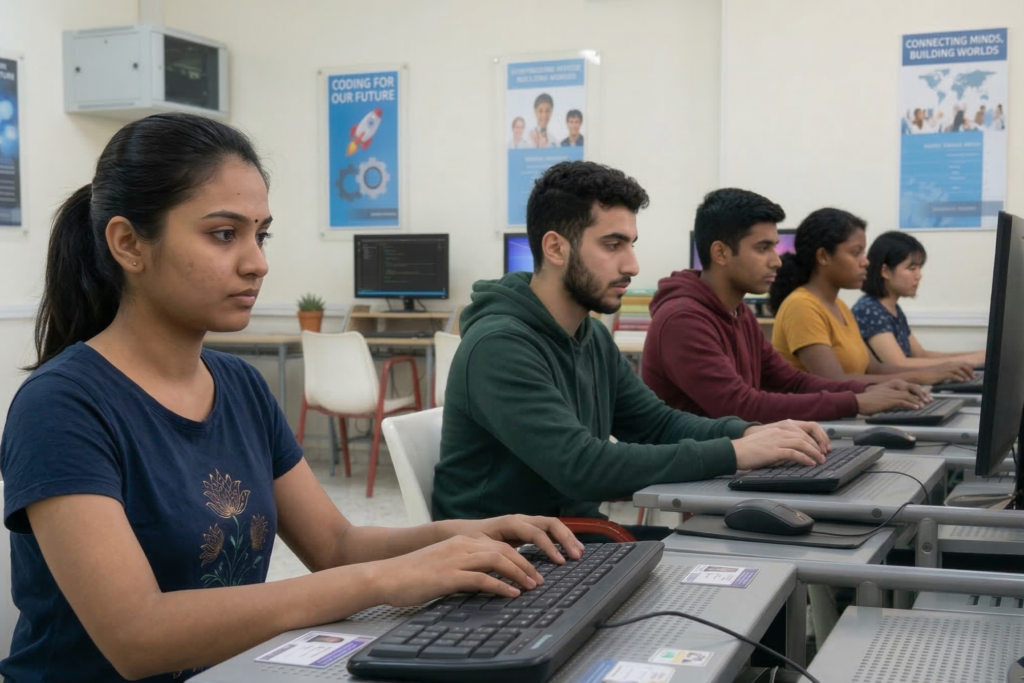
Practical Based Project Training
At VSIT, students gain hands-on experience by working on real-world UI/UX design projects. Our practical training in Delhi helps learners create intuitive and user-friendly digital experiences, making them job-ready for design and product-based roles.
- Practical Skill Development – Build strong design skills using tools like Figma, Adobe XD, and other industry platforms.
- Portfolio Building – Create impressive UI/UX projects to showcase your creativity and skills to employers.
- User Research Skills – Learn how to understand user behavior, create personas, and define user needs.
- Wireframing & Prototyping – Design wireframes and interactive prototypes for websites and mobile apps.
- Visual Design Principles – Understand layout, color theory, typography, and design consistency.

Why UI/UX Is A High Demand Carrer?
UI/UX design has become one of the most important skills in the digital world as businesses focus on creating user-friendly websites and mobile applications. At VSIT, students learn how to design intuitive, engaging, and high-performing digital experiences that meet modern user expectations and industry standards.
- Growing Digital Products – With the rise of websites and mobile apps, companies need skilled designers to improve user experience.
- High Industry Demand – UI/UX professionals are required across startups, tech companies, and digital businesses.
- Better Salary Potential – Skilled UI/UX designers are offered competitive salaries in the digital industry.
- Essential for Businesses – Every digital product requires good design for better engagement and conversions.
Who Should Join This Course?
This course is ideal for students, graduates, working professionals, and freelancers who want to build a career in UI/UX design. It’s perfect for beginners, graphic designers, and developers looking to shift into product design.
What Are The Career Opportunities After UI/UX Design Course?
After completing a UI/UX design course, students gain skills in designing user-friendly websites and mobile applications, making them highly valuable in the digital industry. At VSIT, the focus on practical training and real projects helps learners become job-ready for various design roles in Delhi and across India.
UI Designer
UX Designer
Product Designer
Visual Designer
Web Designer
Mobile App Designer
Why Choose VSIT?
Learn from experienced mentors who provide practical guidance and industry insights.
Get personalized attention and better understanding through small group training sessions.
Build real skills with hands-on training focused on industry requirements effectively.
Prepare confidently for interviews with guidance, practice, and expert tips
Learn at your own pace with classes available on weekdays and weekends.
Earn industry-recognized certification that validates your skills and enhances your resume.
Frequently Asked Questions
Yes, our UI/UX design course focuses on hands-on learning with real projects, wireframing exercises, and portfolio-based assignments to build practical skills.
Yes, students create complete UX case studies and UI design projects that can be added to a professional portfolio for job interviews.
We provide career guidance, portfolio reviews, and interview preparation support to help students apply for UI/UX design roles confidently.
Yes, the course starts from fundamentals and gradually moves to advanced concepts, making it suitable for beginners as well as professionals.
You will learn industry-standard tools like Figma, Adobe XD, Photoshop, HTML, CSS, and WordPress for practical design implementation.
Yes, VSIT offer offline classroom training in Delhi along with structured sessions and practical assignments.